
Technology infrastructure in modern office spaces provides the connectivity, digital systems and supporting facilities businesses need to operate efficiently from the moment they occupy a workplace. In a ready office, much of the basic physical and digital infrastructure is already established, reducing the amount of technology setup that a business needs to coordinate before employees can begin working.
Modern companies depend on technology for almost every part of their operations. Email, cloud applications, video meetings, file sharing, customer management systems and online collaboration tools all require reliable connectivity.
Hybrid and distributed working have made this infrastructure even more important. Employees in the office may need to communicate continuously with colleagues, clients and partners working elsewhere.
A technology-ready office therefore involves more than providing Wi-Fi. Businesses should consider internet reliability, video conferencing capabilities, network arrangements, physical security and whether the environment can support their organisation-specific IT requirements.
For companies moving into ready office spaces, understanding these elements helps ensure that a physically prepared workplace is also capable of supporting modern digital operations.
Why Tech-Ready Work Environments Matter
Tech-ready work environments matter because most business activities now depend on reliable digital access and communication.
A disruption to connectivity can affect multiple functions at once.
Employees may lose access to cloud platforms. Video meetings may become unreliable. Customer communications can be interrupted, and teams may struggle to access documents or internal systems.
Technology should therefore be treated as part of the core workplace infrastructure rather than an additional office amenity.
Tech-enabled office environments are designed to provide much of the basic connectivity businesses require from the beginning of occupancy.
This can be particularly useful for startups, SMEs, project teams and companies establishing new locations.
Instead of treating technology setup and office setup as entirely separate projects, businesses can occupy an environment where essential connectivity is already available.
The Technology Requirements of Modern Businesses
Modern businesses require technology infrastructure that supports communication, cloud applications, collaboration and secure access to company information.
The specific requirements vary according to organisation size and industry.
A small consultancy may primarily require reliable internet, video conferencing and secure access to cloud systems.
A larger company may need more sophisticated network arrangements, additional equipment and stronger internal security controls.
Hybrid organisations introduce further requirements because employees need to collaborate effectively across physical and remote environments.
A modern office should therefore be assessed according to actual business activities.
The presence of internet access alone does not confirm that the technology environment will support every organisation.
Business-Grade Internet Connectivity
Business-grade internet is one of the most important elements of a modern ready office because most digital workplace activities depend on consistent connectivity.
Employees use internet connections for email, cloud platforms, research, communications and collaboration throughout the working day.
Video conferencing and large file transfers can place additional demands on the network.
A business-grade internet workspace should therefore provide connectivity suitable for normal professional activities.
Companies should assess more than advertised availability.
Important considerations can include connection reliability, network arrangements and how connectivity is managed within the workspace.
Businesses with specialised requirements should discuss them with the workspace provider before moving in.
A technology-intensive company may have very different needs from a small professional services team.
Wi-Fi and Wired Connectivity
Wi-Fi provides mobility within the office, while wired connections can be useful for devices or activities that require consistent network access.
Modern employees frequently move between desks, meeting rooms and common areas.
Reliable wireless connectivity can support this working style by allowing laptops and mobile devices to remain connected across different parts of the workplace.
However, some businesses may still require wired connections for specific equipment or workstations.
The appropriate balance depends on the organisation's technology environment.
Businesses should determine whether the ready office supports the types of devices employees use rather than assuming one connectivity method is sufficient for every activity.
Video Conferencing Infrastructure
Video conferencing infrastructure allows office-based employees to communicate effectively with remote colleagues, clients and business partners.
This has become particularly important for hybrid and regional organisations.
A meeting room that works well for everyone physically present may not work equally well when several participants are joining remotely.
Audio quality, internet stability and room configuration can influence whether remote participants can follow discussions effectively.
Digital-ready office facilities may provide meeting environments that support online communication.
Businesses should still assess whether these facilities match their requirements.
A company conducting frequent regional meetings may need more sophisticated conferencing arrangements than a team that uses video calls only occasionally.
Supporting Hybrid and Distributed Teams
Technology infrastructure enables hybrid and distributed teams to work across different locations while remaining connected to common business systems.
The office becomes one part of a broader digital working environment.
Employees may work from the ready office, home, client premises or another company location.
Regardless of physical location, they often need access to the same communication platforms, documents and business applications.
Reliable office technology helps maintain this continuity.
Meeting facilities should also allow employees working remotely to participate effectively in discussions taking place in the office.
Technology therefore plays a direct role in whether a flexible workplace can support hybrid operations.
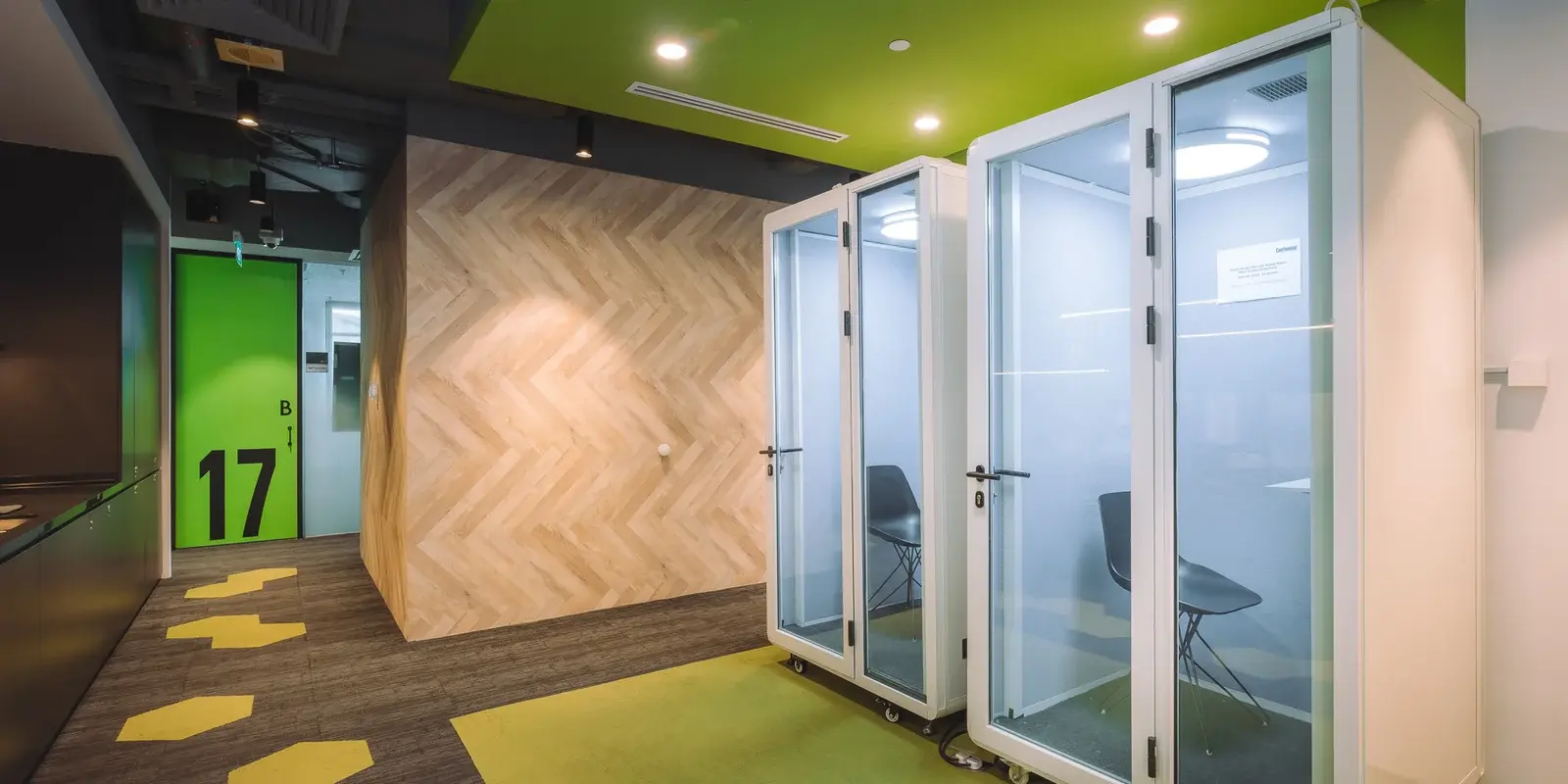
Cloud-Integrated Workspace Solutions
Cloud-integrated workspace solutions allow employees to access applications and information through online systems rather than depending entirely on equipment located within one physical office.
Many businesses now use cloud-based email, document storage, project management and customer relationship systems.
This reduces dependence on a single workplace.
Employees can access authorised systems from different locations, subject to the organisation's security policies.
A ready office does not itself create cloud integration.
Instead, it provides the connectivity and physical environment from which employees can access the company's cloud systems.
Businesses remain responsible for selecting, managing and securing their own cloud platforms.
The workplace supports the infrastructure required to use those systems effectively.
Smart Office Infrastructure
Smart office infrastructure uses connected technology to support the operation and management of workplace facilities.
The level of smart technology varies considerably between buildings and workspace providers.
Examples can include digital access systems, room-booking platforms and technology-assisted workplace management.
These tools can be useful when they solve practical operational problems.
For example, a room-booking system can help employees determine when shared meeting facilities are available.
Digital access systems can support building and office entry management.
Businesses should avoid evaluating an office based on technology features simply because they are described as “smart�.
The relevant question is whether the technology improves security, accessibility or workplace efficiency.
Security Systems for Business Operations
Security systems protect the physical workplace and help control access to business environments.
Ready office providers may manage building entry, visitor procedures and access to shared areas.
Private offices may have additional access arrangements.
Businesses should understand how these systems work before occupying the space.
Relevant physical security considerations include:
- Building entry procedures
- Private office access
- Visitor management
- Access outside standard working hours
- Security of shared areas
These measures form only one part of business security.
The workspace provider may manage physical access, but each company remains responsible for protecting its own information, devices and internal systems.
Cybersecurity Responsibilities in Ready Offices
Cybersecurity remains the responsibility of individual businesses even when they operate from a professionally managed ready office.
A furnished and connected workspace does not automatically satisfy an organisation's cybersecurity requirements.
Businesses should maintain their own policies covering passwords, device management, software updates, user permissions and sensitive information.
Companies using shared environments should also understand the available network arrangements.
Organisations handling confidential or regulated information may require additional technical controls.
These requirements should be identified before selecting a workspace.
A ready office can provide basic connectivity, but the business must determine whether that infrastructure can support its own security standards.
IT-Supported Office Rentals
IT-supported office rentals can reduce some of the practical work involved in establishing connectivity and using shared workplace technology.
The exact level of support differs between providers.
Some workspace environments may provide assistance relating to basic internet connectivity, meeting facilities or office technology.
This should not be confused with a company's internal IT support.
The workspace provider generally does not manage organisation-specific software, employee devices or specialised business systems unless this is explicitly part of the service.
Businesses should therefore clarify responsibilities.
Knowing what the provider supports and what remains with the company's own IT team can prevent misunderstandings after occupancy.
How Tech Readiness Reduces Setup Complexity
Tech readiness reduces office setup complexity by making basic connectivity and selected workplace systems available before the tenant begins operating.
A traditional office may require several technology arrangements before employees can work normally.
Businesses may need to establish internet services, prepare meeting facilities and coordinate building-related technology.
A ready office can reduce these requirements because much of the common infrastructure already exists.
A typical move may therefore focus more heavily on company-specific technology.
This can include:
- Preparing employee devices.
- Configuring access to company applications.
- Implementing internal cybersecurity policies.
- Connecting specialised equipment where required.
- Testing remote and hybrid collaboration systems.
This distinction can make the transition into a new office easier to manage.
The physical technology foundation exists, while the company concentrates on the systems specific to its own operations.
Technology and Business Continuity
Reliable technology infrastructure can support business continuity by reducing disruption when employees move between workplaces or working arrangements change.
Companies sometimes use ready offices during relocation, expansion or temporary projects.
Employees need to remain connected to business systems throughout these transitions.
An established technology environment can help reduce the number of infrastructure changes required.
However, businesses should maintain their own continuity planning.
Important systems should not depend entirely on one physical workplace or internet connection without appropriate contingency measures.
Cloud platforms, backup processes and remote access arrangements can all form part of a broader continuity strategy.
The ready office supports this strategy but does not replace it.
Technology Requirements When Expanding Into Singapore

Companies establishing Singapore operations should assess technology requirements as carefully as physical office requirements.
An overseas business may need its Singapore team to access regional or global systems from the first day of operations.
This makes connectivity particularly important.
Employees may participate in frequent international video meetings, use centralised cloud platforms and collaborate with colleagues in different markets.
The workplace should therefore support these activities reliably.
International companies should also ensure that their internal technology and data practices meet applicable requirements relevant to their operations.
A ready office provides the physical environment, but the organisation remains responsible for its systems and regulatory obligations.
Ready Office Technology Versus Traditional Office Setup
Ready and traditional offices differ in how much workplace technology infrastructure is already established when the tenant occupies the premises.
| Technology Consideration | Ready Office | Traditional Office |
|---|---|---|
| Basic connectivity | Commonly established | Often tenant-arranged |
| Wi-Fi | Often available | Usually requires setup |
| Meeting facilities | May already be equipped | Tenant typically prepares |
| Building access systems | Provider managed | Depends on premises |
| Internal business software | Tenant responsibility | Tenant responsibility |
| Employee devices | Tenant responsibility | Tenant responsibility |
| Cybersecurity policies | Tenant responsibility | Tenant responsibility |
The primary advantage of the ready office is reduced infrastructure preparation.
The company still controls and manages the technology that is specific to its own business.
How to Evaluate Technology in a Ready Office
Businesses should evaluate ready-office technology according to the systems employees actually use rather than assuming that standard connectivity will be sufficient.
A practical assessment can focus on several areas:
Connectivity: Determine whether the available internet service can support normal employee activity, including cloud applications and online meetings.
Meeting Technology: Assess whether meeting facilities support the organisation's combination of physical and remote participants.
Security: Understand building access and network arrangements, then compare them with the company's own security requirements.
Compatibility: Determine whether specialised equipment or company-specific technology can be accommodated.
Support Responsibilities: Clarify what technology assistance the workspace provider offers and what remains the responsibility of the tenant.
These checks can help identify limitations before they affect daily operations.
Common Technology Mistakes When Selecting Office Space
A common mistake is assuming that the presence of Wi-Fi means the office meets all business technology requirements.
Connectivity needs differ between organisations.
Another mistake is overlooking video conferencing requirements.
Hybrid companies may discover that meeting rooms are physically suitable but do not support effective communication with remote participants.
Businesses can also misunderstand security responsibilities.
A managed building may provide physical security without managing the tenant's devices, data or software.
Finally, organisations sometimes fail to test whether specialised technology can operate within the workspace.
Technology requirements should be assessed before occupancy rather than after employees begin working.
Frequently Asked Questions (FAQs)
What technology should a modern ready office provide?
A modern ready office should provide reliable basic connectivity and an environment capable of supporting common digital business activities. Specific facilities may include Wi-Fi, meeting technology and managed access systems, depending on the provider.
Is the internet normally included in ready office spaces?
Internet connectivity is commonly available in ready and serviced office environments, but service arrangements vary. Businesses should confirm connectivity details and determine whether they match their operational requirements.
Are ready offices suitable for hybrid teams?
Ready offices can support hybrid teams when they provide reliable connectivity and suitable meeting environments for communication between office-based and remote employees. The organisation must still manage its own collaboration platforms and working policies.
Who is responsible for cybersecurity in a ready office?
The business remains responsible for its own cybersecurity, employee devices, data, software and access policies. The workspace provider may manage building infrastructure and certain network services, but this does not replace company-level security controls.
Can businesses install their own technology in a ready office?
The ability to install additional technology depends on the workspace and provider. Companies with specialised requirements should confirm what equipment and network arrangements can be accommodated before selecting an office.
Why is technology infrastructure important when choosing office space?
Technology infrastructure affects employees' ability to communicate, access business systems and collaborate across locations. A physically suitable office may still be operationally unsuitable if its connectivity or technical environment cannot support the organisation.
Creating a Digital-Ready Environment for Productive Work
Technology infrastructure has become a core part of modern office planning because business operations increasingly depend on continuous digital connectivity.
Ready office spaces can simplify this requirement by providing an established physical environment where basic connectivity, meeting facilities and selected building technology are already available.
The business remains responsible for its own software, devices, cloud platforms and cybersecurity.
The most effective technology environment therefore combines provider-managed workplace infrastructure with organisation-specific IT systems.
Companies evaluating ready offices should assess connectivity, conferencing, security, compatibility and technical support before making a decision.
When these elements align, a technology-ready workplace can reduce setup complexity and provide employees with a more practical environment for digital, hybrid and collaborative work.
Connect Your Team to a Workplace Built for Modern Operations
Businesses considering a technology-ready office can assess whether the available connectivity, meeting facilities and workplace infrastructure support their employees and digital operations.
Centennial Business Suites provides managed workspace environments for businesses requiring professional office infrastructure and flexible working arrangements. To discuss available office options and determine whether they match your operational requirements, please reach out to our team via email at [email protected] or call/WhatsApp on (+65) 9230 2206.